
Melody Nomás ☆ Aomine Daiki's Girlfriend
679,366 views
544 followers
11,595 updates
0 tips
bluesongbird,
sugrkei,
shycat,
enmity,
casitadelosfantasmas,
bishoujosenshi,
archivesvirus,
moeq,
utsumeow,
hihijihi,
puppygutsz,
fl0w3r3d,
rickjones,
katipan,
kittyqueentengu,
soniadoll,
dinworld,
zhongvie,
cutedevil,
nimka,
baddieyangie,
pizzacatdelights,
thepinklair,
cangel,
moondreaming,
rollcake,
miet
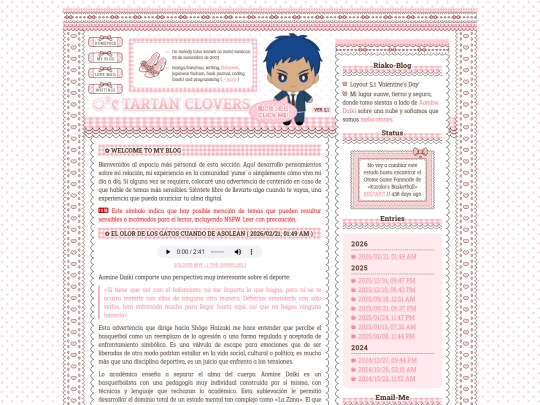
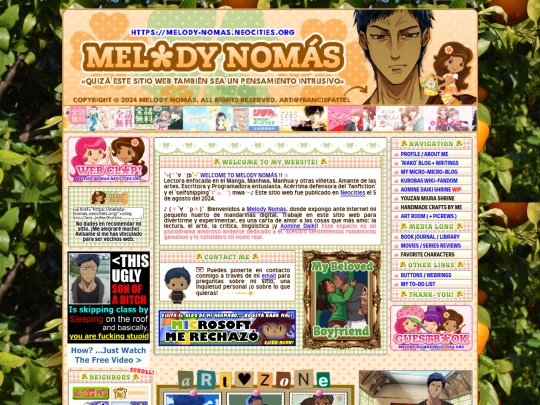
I want to share something very personal: one of the reasons I created a website is because of trauma related to a family condition. I’m highly likely to develop dementia or Alzheimer’s in the future, and if I can’t prevent it, I at least want to have a space that reminds me of who I was in the past: a person who was capable of loving so much that she found reasons to move forward and have a sense of purpose. 1/3
49 likes
Hi! I'm on vacation right now; I'll be back to my usual routine next Monday. I commissioned Iván García Solano, the Spanish voice actor for Aomine Daiki, and I received the audio a few days ago, but I haven't been able to listen to it! I'm way too nervous, I just heard the nickname "my little flower" (mi florecilla) and I started shaking. (。ノω\。)
15 likes


OMG!! gracias x seguirme, me ENCANTAAA tu sitio está tan lindo, siento que nunca voy a terminar de explorarlo, es GENIAL!!!! Me caíste re biem <3<3
1 like
 melody-nomas
2 weeks ago
melody-nomas
2 weeks ago
YAY!! GRACIAS POR VISITARLO. Me pareció muy lindo tu personaje y me gusta muchísimo el trabajo que estás haciendo e tu sitio. Si haces un botón, ¿Te gustaría ser vecinos web? 💕
1 like
I follow a lot of websites, even the newest ones. Something I've noticed for a long time is that, in reality, it's very rare for people to keep updating their websites. Lately, I’ve been thinking about the blank or “under construction” links we leave up for so long. Maybe something disappointed those people, and that’s why they ended up abandoning their website,but leaving behind a promise. To others, it might just +
26 likes
melody-nomas
2 weeks ago
be an unfinished site, but to me, it’s a sign of hope: people who refuse to see their current limits as final. Blank links and unfinished sites are like a kind of optimism or inspiration that we don’t yet possess, but choose to embrace anyway...
13 likes
 mikado-ztick
2 weeks ago
mikado-ztick
2 weeks ago
well, even though this isn't abt me i can explain why i stop updating mine SOMETIMES: the only way i can update my pages is by asking my dad if i can borrow HIS COMPUTER, because I DON'T HAVE ONE.
1 like
 dicjournal
2 weeks ago
dicjournal
2 weeks ago
I remember trying a few times to get mine going, and I ended up being overwhelmed, you know? Like this idea that though my site was for unmasking, that I STILL needed it to be impeccable. I had to gradually drop that mentality but sometimes I still struggle with it. But I try to always keep it alive because in the end, having this digital space is super important for me
Hello. I want to thank you all for your kind words and congratulations. I started working on this website to express the eight years that Aomine Daiki has been by my side, although it was three years ago that I decided to formalize our relationship. I am deeply grateful to everyone who understands my feelings. Thank you for not treating them as a flaw that needs to be corrected. I love you all very much. :,-)
23 likes

2 likes
Hi there!! I love your site, would you like to be neighbours? (my button is @ https://poemdoe.neocities.org/blehhh) !!!
2 likes
hai i js linked u to my site and would love to be neighbors ><
melody-nomas
2 weeks ago
Thanku so much! Your website is so cute, and the phone in your diary is so adorable. I added your button to my site, it's a pleasure to be your web neighbor. ♡ྀི
1 like

31 likes
melody-nomas
2 weeks ago
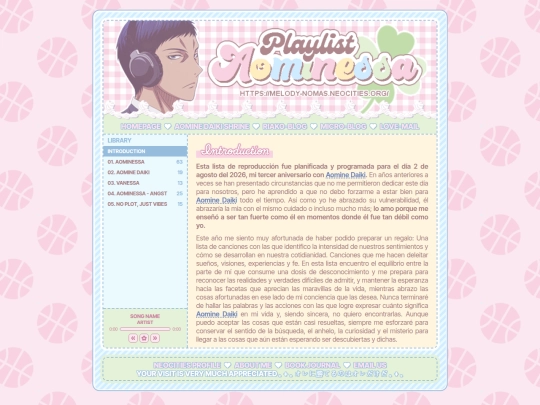
Today is my third anniversary with Aomine Daiki! I made this gift for him. ♡ྀི
11 likes

1 like

1 like

1 like
1 like
 nanni-archive
2 weeks ago
nanni-archive
2 weeks ago
Alguien que me quiera como tú a Aomine es lo que sueño cada noche, esta precioso todo lo que hiciste este aniversario
1 like

1 like
 archive08digitalattic
2 weeks ago
archive08digitalattic
2 weeks ago
APAREZCO EN LA PORTADA!!!! jejejje gracias por ponerme en los botones jejej y AMO!!! tu playlist, queria hacer algo parecido pero no se todavia como hacerlo para mis "recomendaciones musicales"
1 like
So, in the new Neocities browser, I happened to come across a website that has been copying my code and running it through AI to modify it. I have no idea how many pages they’ve stolen from me, it’s all very disorganized. They didn’t even bother to change my information, and where Aomine Daiki’s name should be, they’ve replaced it with John. Who is John? No idea, an alter ego of my boyfriend.
33 likes
3 likes

1 like
1 like

1 like
nanni-archive
4 weeks ago
https://omgsitio1234.neocities.org/testing.1/#! I guess he did something to make his profile private because I can't access it... This sucks.
1 like
 lydels
4 weeks ago
lydels
4 weeks ago
yo también encontré a alguien que modificó mi código con IA me dio mucho asco 😭 ni siquiera me importa q se roben mi codigo pero que le den de comer a una IA mi trabajo y todo lo que escribo sin mi consentimiento se sintió horrible la verdad.....
1 like

1 like


![xX [ TR/BZ ] Xx avatar](/site_screenshots/41/77/toribytez/index.html.50x50.webp)


![tekerare [dot] neocities [dot] org avatar](/site_screenshots/26/24/tekerare/index.html.50x50.webp)


![[tofokyo.com] avatar](/site_screenshots/18/56/tofokyo/index.html.50x50.webp)


I’m crying as I write this; I’m sad and terrified, but I can’t stop myself, I want to hold on to so many happy memories and write about them all. Although everything I create and express right now is for Aomine Daiki, it’s also for my possible future self, who may begin to forget who she is. She’ll probably forget who Aomine Daiki was in her life, but those who find my website will know, and I hope that even if 2/3
it’s just a small part of me, it will capture their hearts and stay with them, that they’ll be able to find inspiration and move forward just as I was able to… I’ll love Aomine Daiki as long as my body and mind allow, and in the meantime, I’ll cherish every little instant and turn it into a memory… 3/3