
meat-tsar,
vylettebeauregarde,
goldenfishesstudios,
andreanelafilm,
bootlegborzoi,
chibibeckyg,
cl0n3d,
jeweljar,
amelog,
kingdomofbyhart,
djosjester,
doodlemancy,
gunomii,
tunnel-vision,
atomicunwasteland,
lulmikuu,
lenaofthelake,
veroswebworld,
silvervelvet,
redactedcharacter,
aymantium,
4gainst-the-kitchen-floor,
i-am-not-here,
gilokee,
toulavy1iterat,
rihannabashir,
flightless-pigeon,
archiveovpsychickyouth,
lonkofhyrool,
zconsta,
dottolone,
codeveil,
astramars,
goodnamehere,
ratspike,
meeow,
nated712,
marsriverstyx,
00s,
perspicacious-graveyard,
neurosufism,
ketaemil,
ladyluckylu,
flantasyflan,
ailurusfulgens,
oosakansai,
dogrise,
eosinel,
umadasmentes,
anadelaisla,
sabienlyons,
halinu,
jjhonanohjj,
denglili,
slinger,
tretas-e-dramas-blog,
cloverfin,
indyworld,
ptrchr,
scrimtas,
raduissatansnumone,
nightshadegraphics,
bachirums,
meowmeow-cafe,
tamadate,
notur,
mushi-i,
mloutheartist,
chipponius,
prucan,
myrtletribe,
foxpitstop,
grace-s-place,
nats-corner-ontheinternet,
criesofroch,
sirenvamps,
onurnet,
cerealsnail,
dandelionsun,
dh4mp1rheartsetf,
mossy-teeth,
vvnllaa,
t2ileht,
jellywaves,
neehapika,
snoopygirl,
spinesilk707,
komet-4,
overvalley,
laverinthna,
commentarii-corvi,
swampvermin,
bitchballout,
oldwww,
ciudaddearcilla,
artidias,
junowired,
xhzsfanworks,
medicinalfriedchicken,
window2the-soul,
drawingjournal,
spotless-mind,
sunwurm,
mezartz,
xenocg,
rainbow-range,
cataxcore,
peachlantern,
anthelion,
pennylovesyou,
gabi-meusitezin,
chikainowingbeat,
scythejaw,
ardenwarr,
hannah515,
sagatlp,
ladyginger,
bathyalsphere,
fujoshi-under-the-sun,
borzoizelda,
waterskyline,
cerenemuxse,
kaisers-den,
nonocrom,
fujoshikei,
cwpinkles,
cosmic-seea,
backupndown,
tttaaa,
gemini-rabbit,
smpetz,
sabu-room,
dalia-hobbys,
david-officiel,
nice-sandwich,
kestriil,
somethingsomewheresometimes,
felicitylittleworld,
wisteriascyberspace,
lotusnekium,
wisestgirl,
mxley,
avrill,
saintandsons,
noyon,
ancient-pixel,
blackberryjam,
amigata,
fishilus,
insomniac-pillowfort,
hidden-token,
sushichicken13,
lambyrinthia,
mountain-wren,
laurenleilani,
riddledwithwhimsy,
petitwaif,
potetochips
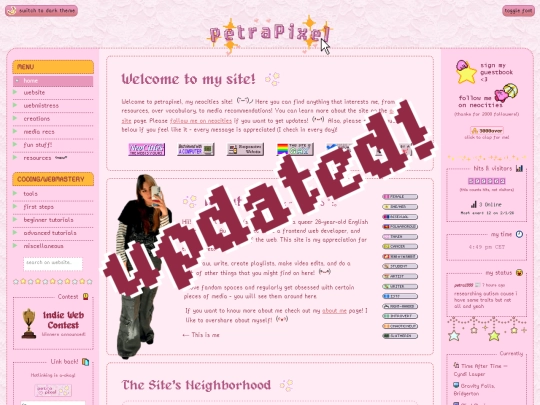
Reminder: This year's indie web contest will start soonish (probably sometimes November)! To participate, just add your website to the indie web database ( https://petrapixel.neocities.org/indiewebdb/websites ) and that's it!
28 likes

18 likes
31 likes
happy spooky month!! 👻 🎃 🖤
63 likes

5 likes

2 likes

1 like
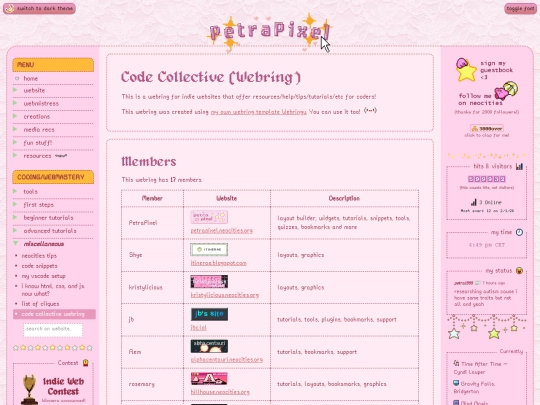
Thank you for adding me to your Code Collective's webring! <3
2 likes
I'm starting prep for the next Indie Web Contest!! :) This time around to participate you have to add your site to the indie web database ( https://petrapixel.neocities.org/indiewebdb/websites ) so you can do that if you haven't yet! :3
37 likes
 samsolarsystem
3 weeks ago
samsolarsystem
3 weeks ago
I'm super excited!!! Could you give us an estimate of the dates?because I cannot wait! I really love the Indie Web contests
1 like
 petrapixel
3 weeks ago
petrapixel
3 weeks ago
it's probably gonna be november for the voting to start! :] (bc my october irl is very busy)
2 likes
18 likes
i have no friends to play minecraft with, is there an indie web / neocities minecraft server?
24 likes
 spotties
1 month ago
spotties
1 month ago
hmmmmm,, not that i can think of, though it would be certainly neat to get to know one :o i don't have friends to play minecraft with neither.
2 likes
 lonewriter
1 month ago
lonewriter
1 month ago
..i think the only one i've seen here is the frutiger aero archive one.. not sure if there's any others.. https://frutigeraeroarchive.org/minecraft
3 likes

 diremptiness
1 month ago
diremptiness
1 month ago
I haven't played Minecraft in an embarrassing amount of years but that sounds like fun!
1 like
 packedmol
1 month ago
packedmol
1 month ago
I've thought about hosting one but my home server can unfortunately only handle so much :(
1 like
3 likes
 electric-dot-gay
1 month ago
electric-dot-gay
1 month ago
if anyone cares to try u can get some good performance on the always free tier of oracle's free hosting.
2 likes
packedmol
1 month ago
I saw that, but I heard they delete the vm's used to host the servers after 60 days, which sucks. I don't think there'll be a large swarm of people anyways, so I should be able to host a server for everyone.
packedmol
1 month ago
Server has been made! Server address is being held hostage on my page under the "My Games" tab. Please let me know how it is!
2 likes
24 likes
Website Stats
Last updated
1 week ago
CreatedNov 9, 2021


that indie web DB is such an amazing project!! Thank you for adding my website so quickly :D
Wait, can I join the DB even if my site looks rough?
@sloptropica of course!