cr34t0r,
lovemichy,
cori-inc,
cherrysplat,
scribbler,
tripsies,
barrybearsgames,
ameya,
dogrise,
morclouds,
heryne,
barrybearsblog,
adoniska,
eradeesperarse,
theorangestar,
bechnokid,
tthumbelina,
toffii,
choco-mint,
hallowdaze,
2319,
smpetz,
lavenderclavat,
cottonjewel,
xela9312,
notyetknowspace,
devhank,
skullpanda,
gumshoecomixx
LOL, my new computer already gave up. It went to sleep and didn't wake up in the morning. Amazing...
3 likes




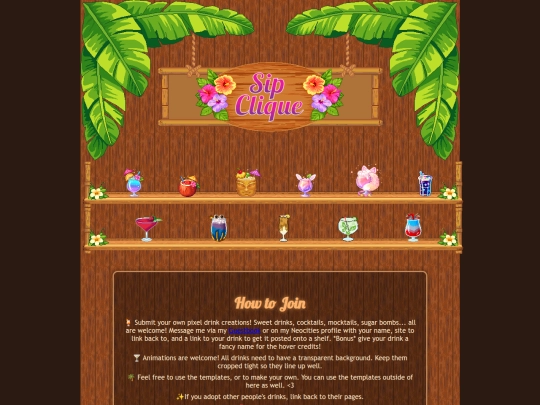
I made a squishmallow for the club. My name: Mezo. Site is pastel-prehistory.neocities.org. The Squishmallow's Name is Crystal. It's a real squishmallow & a pretty early one (2019). Here's my pixel link: https://file.garden/aJD02zydqnG0q1dm/Misc/cliquecrystal.png
Fun fact about Crystal the snow leopard: It's pretty obscure now as it was exclusive to Justice before it closed. Still have mine IRL.
1 like
 peachlantern
2 days ago
peachlantern
2 days ago
That is so cool... I didn't know she existed! I remember Justice. It's a shame that all stores of that type are going away. Adding your squishmallow now! Thank you for joining, especially with such a rare one!



9 likes
4 likes
 v0idspace
2 days ago
v0idspace
2 days ago
I entered your poison page and got poison damage. Oof. ach. Oof. oof. eugh. oof. aagh..oof.
2 likes


9 likes
1 like
1 like
10 likes
2 likes
3 likes

11 likes
4 likes

4 likes
 butteroncookies
5 days ago
butteroncookies
5 days ago
they're all so cute!!! i'll have to join sometime when i get back into making art ૮ *^^* ა
4 likes

4 likes
13 likes
3 likes

1 like
peachlantern
6 days ago
If you want to update I'm around. :) I think it looks great as is though! I added some of your cliques to my page, too. :D
1 like
1 like
Well I can't sleep. What's everyone up to this month IRL?
4 likes
1 like
peachlantern
1 week ago
I kind of miss classes sometimes. I'm on vacation time for a trip that fell through so the a whole lot of nothing solid happening here.:p
1 like
 wwwdotdeepblueme
1 week ago
wwwdotdeepblueme
1 week ago
I know what that feels like. I had a group of friends who were all transformer nerds so we planned on going to a Transformers convention. We had a year to plan and schedule! One by one, every dipped out saying they had scheduling conflicts or just didn't have the time. A Year Advance. I went alone, paid for my own room, and had a blast without them. I am still salty.
1 like
peachlantern
1 week ago
I would be, too! I'm glad that you still went and had a good time, though. Hopefully they're salty at themselves for missing out!
1 like
wwwdotdeepblueme
1 week ago
I've lost contact with them. They haven't really made any attempts to reach out to me, despite me trying to reach out to them. Actually, in a couple days, it will have been a year since the event!
1 like
peachlantern
1 week ago
Friend groups drift apart sometimes. It sounds like you're better off, since you were the only one who could commit!
1 like

1 like
peachlantern
1 week ago
You've had quite the month, @kascheffer. *hugs* I hope the next week picks up for you!!!

1 like
Website Stats
Last updated
16 hours ago
CreatedMar 17, 2026


I LOVE POISON DART FROGS TOO!!!! THEY STRAWBERRY ONE IS MY FAV <3
I love your Halloween section!
@Cherrysplat Aren't they ADORABLE? I could watch them all day!
@Cori_inc Thank you so much! 🎃