
Hey, long time no see i haven't really updated this instance of my site for a while I've mainly been focusing on my other instance of it (which has also been dead lately lol) but anyways i have an actual domain for that instance now! It can be found here: https://www.livendus.com
Lol finally updated this each page already has this disclaimer but I'll parrot it here too the board link WILL take you off neocities
1 like


3 likes
Ummmm so i haven't updated this in a hot minute lol check out the infinityfree site https://livendus.great-site.net I'll mirror the changes over soon yes the larp has gone too far yes I'm larping my birth year on the about page no I'm not 40 I'm 18
1 like
 deporitazz
5 months ago
deporitazz
5 months ago
Apparently editing breaks links here's a working link: https://livendus.great-site.net
1 like
just giving a little update about what I'm working on now. I've found yet another webhoster! don't worry though the neocities will continue to be updated though i do have a really fun idea for this new hoster.
1 like
deporitazz
6 months ago
the hoster I've found actually supports netscape communicator 4 which is absolutely insane to me like holy crap how do you end up supporting a 29 year old browser that was last updated 24 years ago anyways I've been working on a reimagining of my old site fastlane! much like the current site it'll be set in the past specifically 2002 so it would line up with alternate universe me's sophomore year much like how
1 like
deporitazz
6 months ago
fastlane was my real sophomore year site i hope to get a fair amount if work on the reimagined fastlane tomorrow and possibly get it up sometime this week
1 like
i got a mirror of the site up over on http://livendus.great-site.net partially cause it's easier to update during class cause it's not blocked and also because it works on old browsers unlike neocities which forces https so that's kind of awesome
1 like
deporitazz
6 months ago
https://deporitazz.neocities.org/hi.png older pic from earlier yesterday after I first published the mirror but this is on real mozilla suite 1.0 on real windows xp
1 like
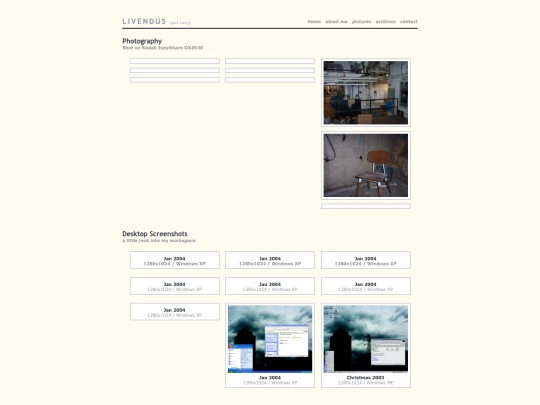
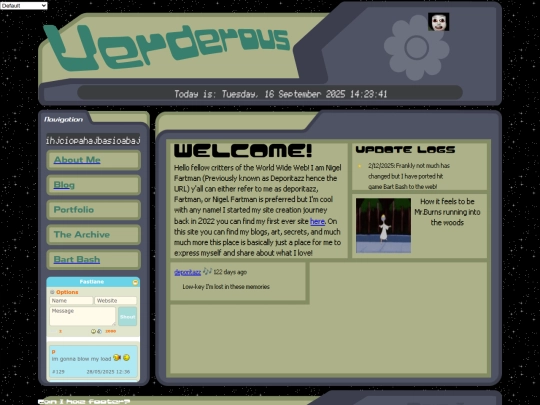
Hello, as you can see the new site is up yes the dates say 2004 but uh how do i explain this I'M LARPING
2 likes

God I'm such a bum I've been teasing a comeback for like a month now and i still haven't put anything up i plan to try and get at least the index up today
1 like
I'm so sorry y'all forgive me it's been over a week since the promised update but life will always have its ups and downs and i got really really sick the update is still coming i just need a little more time to recover <3
2 likes


![[tfpXE] avatar](/site_screenshots/15/25/tfpxe/index.html.50x50.webp)


now who was going to tell me I forgot the what is this site page arguably the most important part as it lets me explain myself