
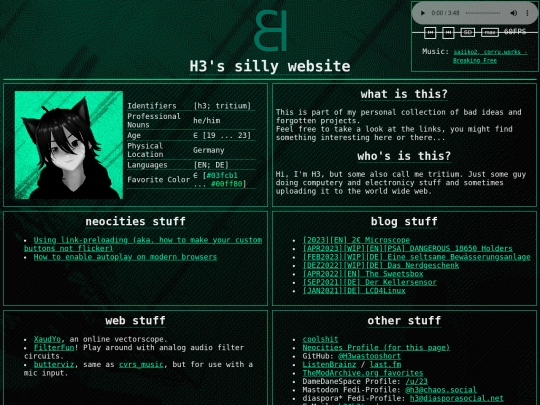
linked you on my neocities in the buttons section. i could not find one on your page so i tried doing my own. i hope it turned out ok: https://h3.neocities.org/buttons/verti_btn.png
1 like

i knew you had a website but not that it was hosted on neocities. very cool
There is an outdated link in your Depths of the Net page. vampirefanclubhas changed thier bc subdomain to loveletters04. Figured this out by finding thier twitter @in an old web.archive.org snapshot. twitter had the current subdomain. Original link: https://vampirefanclub.bandcamp.com/album/please-i-just-want-to-be-pretty -> New link: https://loveletters04.bandcamp.com/album/please-i-just-want-to-be-pretty

1 like
do you have a working winamp page with a milkdrop background?! this is inspiration
 h3
4 years ago
h3
4 years ago
there is a JS inplementation of milkdrop called butterchurn (github: https://github.com/jberg/butterchurn). if you want a good example, look at the music thing i made for https://cvrsed.neocities.org/ (its the "music" entry in the sidebar)
h3
4 years ago
aaaand there is also a JS implementation of winamp (https://github.com/captbaritone/webamp). if you want to see an example for that, i have one on my homeserver https://home.hacker3000.cf/
1 like
 geouniversal
4 years ago
geouniversal
4 years ago
i was referring to your homepage! i am so inspired and i didnt believe it when i saw it. i will have to try and make this work as well one night. thank you so much
1 like
FOUND BIG BUG: on some pages you cant interact with anything under the transparent picture! you need to add this to the css for it: div.cur { pointer-events: none; position: fixed; top: 0; bottom: 0; left: 0; right: 0; width: 100%; height: 100%;} div.cur img {width: 100%; height: 100%;} this will make the mose "click though it". also the image is too small so this fixes it.
hi. i stumbled accross you site and noticed that the swag toggle button is not memorized between page reloads so i made an edited version of its javascript that stores the state in the localStorage (basically cookies but more permanent and only for clientside javascript). here is the pastbin link: https://pastebin.com/quV2v3gn if you want to know more about local storage read its MDN article: https://mzl.la/3LTNc9l
 hasnogame
3 years ago
hasnogame
3 years ago
Hey thank you so much for this! I saw this months ago and finally got some time this morning to implement this it into my site. Your code was almost perfect, just needed to wrap the initial load of storedSwagEnable in a JSON.parse() as LocalStorage is always stored as a string. Thank you for taking time to help me out with this!


thaank you!!! :]