
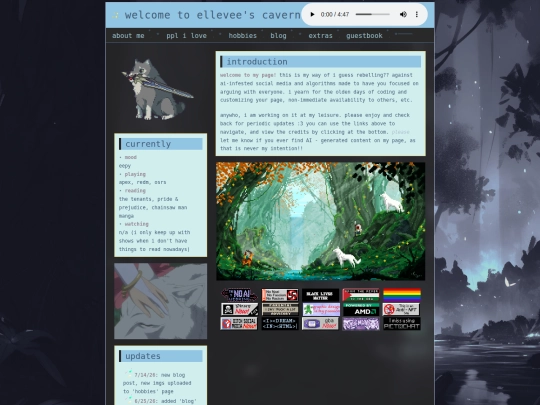
ellevee's cavern

ellevee.neocities.org

2,198 views
10 followers
865 updates
0 tips
ellevee updated their site.
2 days ago
ellevee's avatar ellevee 2 days ago

2 new photos in the 'photography' section, i do additions at the bottom so you'll have to scroll - PLEASE LOOK AT THE RECEIPT TOTAL AND TELL ME IF YOU UNDERSTAND ROFL

ellevee updated their site.
4 days ago
2 likes
ellevee's avatar ellevee 4 days ago

added some gaming screenshots finally :) started my rdr2 roleplay server and have been having an absolute blast.

3 likes
ellevee updated their site.
1 week ago
3 likes
ellevee's avatar ellevee 1 week ago

oops, this was broken till i noticed it just now. put the appropriate code in to make it work.

2 likes
thanks for over 2k views <3
1 like
i will be 'blogging' on here soon, through a new link i will create on my page titled 'blog'. i'll either post these in a DIV style with dates etc or write them and save them via an image, posting them using the lightbox coding provided by hypercrites - what do you think would be best?
idoltalk's avatar idoltalk 1 week ago

either is fine but i kinda like lightbox

1 like
ellevee's avatar ellevee 1 week ago

ahh i just saw this response. i think i will revert once i can :3 will keep it much neater in the long run methinks

ellevee updated their site.
1 week ago
ellevee's avatar ellevee 1 week ago

added some more photos :)

changed the font on my page to be a more readable one :)
2 likes
ellevee's avatar ellevee 2 weeks ago

also added a subtle floating particle effect!

1 like
i made a button - you can find it here: https://ellevee.neocities.org/pplilove
2 likes
ellevee's avatar ellevee 2 weeks ago

if anyone knows how to maintain the integrity of my new background img via css, please let me know, as it is not supposed to be this blurry ;-;

1 like
frostecho's avatar frostecho 2 weeks ago

I checked it locally and the CSS seems fine. The ImgBB URL you're using is only serving a 640×360 version of the image. Try uploading the original image directly to your Neocities "/img" folder and linking that instead (e.g. "background-image:url(/img/dark-forest.jpg);") — the blur should disappear.

1 like
ellevee's avatar ellevee 2 weeks ago

oooh i will try.. thank you so much. i'm a noob on the uploading and hosting things via neocities side, so i will try my best... thank you!

1 like
ellevee's avatar ellevee 2 weeks ago

any idea why it is giving that dimension versus the normal ones? i downloaded and uploaded the image from my pc, it looks fine as my desktop and i got the image like i do everything else... maybe i missed something somewhere xD if you don't know, totally fine, just curious

1 like
ellevee's avatar ellevee 2 weeks ago

OMG, that fixed it. thank you SOOOOO much. this was making my brain melt last night.

1 like
frostecho's avatar frostecho 2 weeks ago

Glad it worked! 😄 As for why ImgBB was giving you a 640×360 version, I'm not actually sure. My guess is that the URL you copied was pointing to a resized/optimized variant rather than the original upload, but I couldn't say exactly how that happened. Sometimes image hosts generate multiple sizes and it's easy to grab one of those by accident.

1 like
ellevee's avatar ellevee 2 weeks ago

yes, that's what i was beating myself up over last night, but i checked multiple times, even uploaded it a separate time and it was never the thumbnail version so WHO KNOWS! ty again!

1 like

Website Stats

Last updated 2 days ago
CreatedMay 13, 2026
Site Traffic Stats

Tags

art writing communism antiai videogames